|
|
|
We are excited to announce a new update, which is the start of a new chapter in EasyVFR development. You will be happy to learn that in the coming months, we will focus on improving both the user interface and the usability of the core features of EasyVFR. This will eventually lead to some more exciting releases this Spring!
|
|
|
Status Card
|
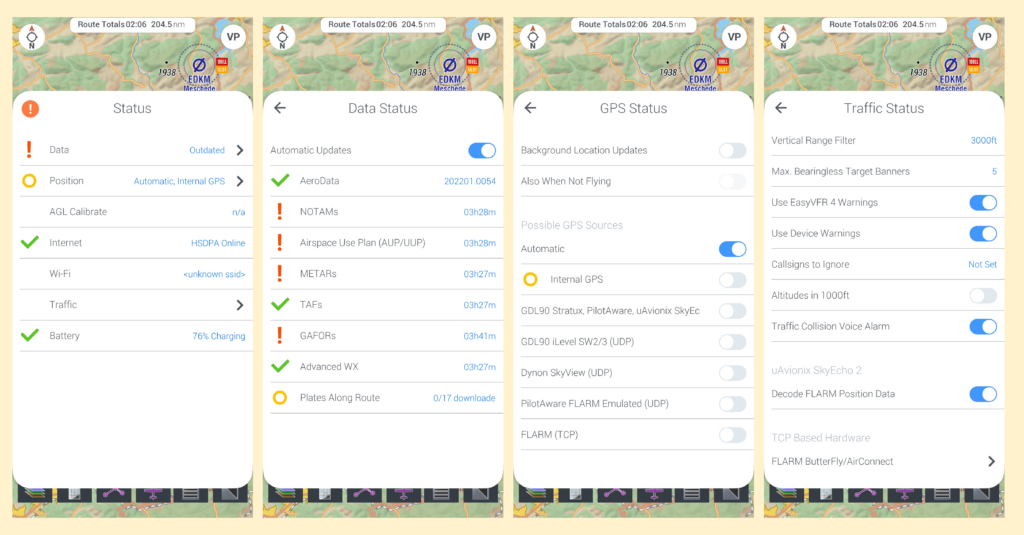
So what are we on about? As you are probably aware, giving you peace of mind is our primary company mission. To use an app as your navigation tool, you want to be sure that all boxes are checked and all the lights are green. And you want to be notified immediately if the reliability of the app has been impaired.
|
Until recently, this critical information was scattered around several menus in EasyVFR. Now with the new Status Card, you will find all those boxes to check, in one single place.
You open the Status Card by tapping the new Status Dot, which is permanently shown over the map, and has three statuses:
|
- Green Checkmark: all ok.
- Orange Circle: within margins, but something can be done.
- Red Exclamation mark: alert, action is required.
From here, you can see in a glance what data needs to be updated, and you can initiate an update immediately. Furthermore, the status card is the easiest way to change the settings of each individual data component. So you can quickly take action without the need to browse to other menus.
|
|
|
|
Leg Label
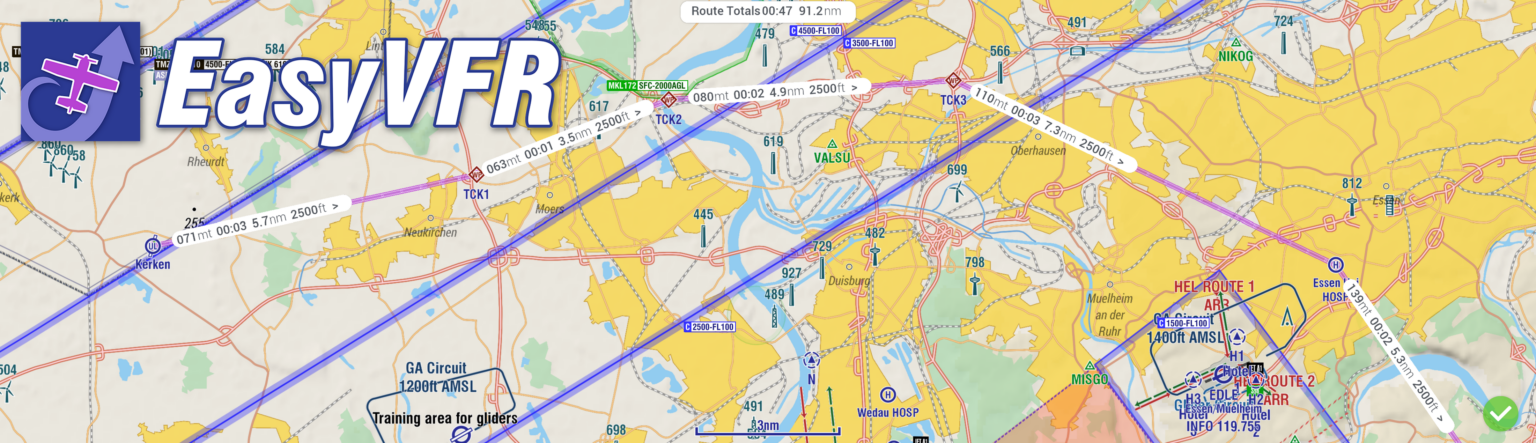
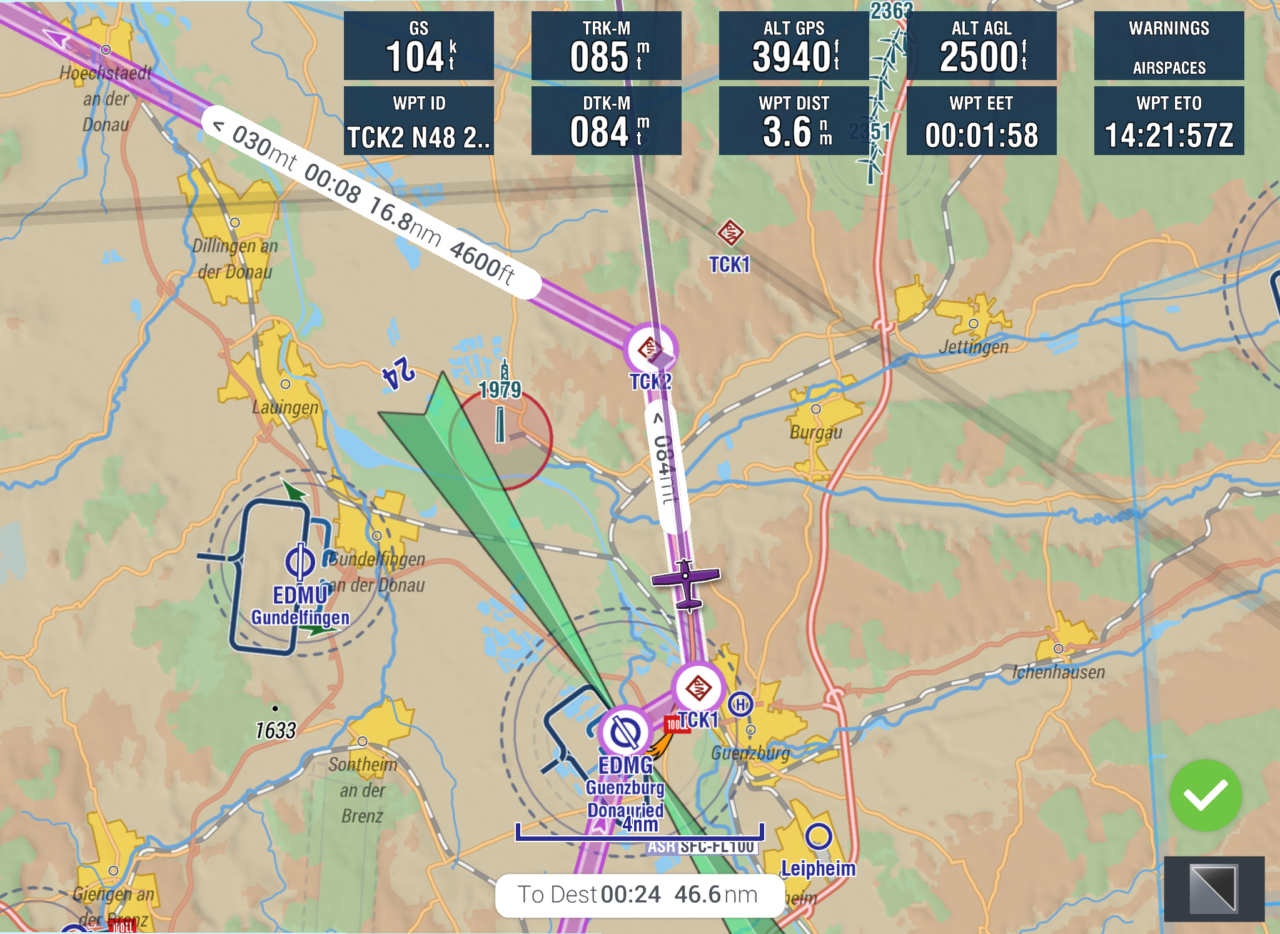
To increase your situational awareness we have also implemented route labels. They inform you about the leg direction, course, duration, distance, and altitude in the blink of an eye.
When flying, the estimated time to your next waypoint is based on your current ground speed. While the duration for the legs ahead is based on the planned values (your aircraft profile and wind) to create extremely accurate estimates.
|
|
|
|

|
|
Route Totals
|
When you are preparing or navigating a route, seeing at one glance the total duration and distance to fly can be very helpful. Therefore you will now find the new Route Totals displayed on your screen in a convenient place.
|
|
|
|
User Interface and Experience
The structuring and styling of the Status Card, labels, and route totals are a big change from the other menus and tools within EasyVFR 4. It is more modern, streamlined, and user-friendly. With every upcoming update, another core feature or menu will get this same treatment and be lifted to the new design philosophy.
We hope you will enjoy using the new features in EV4! We look forward to hearing your first impressions and are happy to answer any questions you have.
Cheers,
Team EasyVFR 4
|
|
|
|
|
|
|
|
|