|
|
|
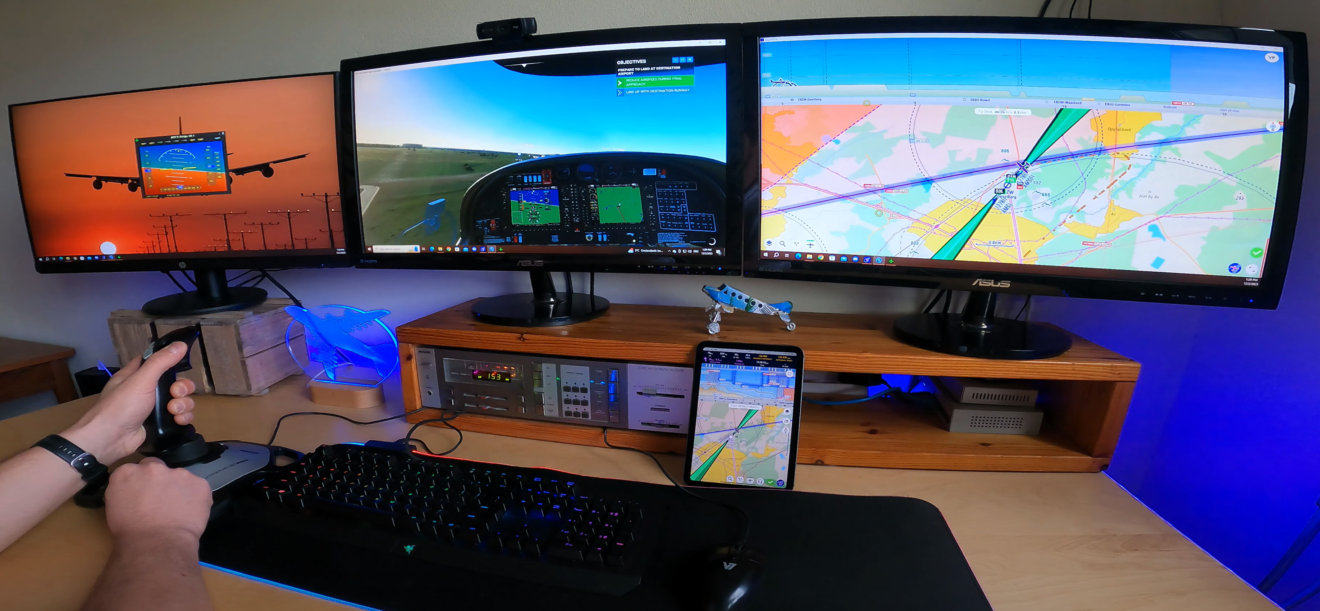
How to Use Your Flight Sim as a Source for EasyVFR?
|
|
Are you a flight simulator enthusiast? If yes, then we're thrilled to share some fantastic news with you! Our latest update brings even more realism into your virtual cockpit, with improved connectivity and a step-by-step video guide, new connectivity tool for MSFS2020 including sim traffic! and new flexible trial options.
|
Connect Microsoft Flight Simulator 2020 and X, Prepar3D, and X-Plane 11 and 12 seamlessly with our updated EasyVFR 4 app and connection tool. This integration means you'll experience a more immersive and authentic flight with real-world navigation data - all at your fingertips.
|
|
|
|
|
Simple Setup
- Upgrade to EasyVFR Live: Subscribe now and enjoy a free 30-day trial. No strings attached!
- Connect to Your Simulator: Set up easily with our video, downloads, and docs at (easyvfr4.aero/sim).
|
|
|
Start Exploring Today
Embrace a flight simulation experience that's truly unmatched in realism and detail with EasyVFR Live. Whether you’re plotting a leisurely scenic route or navigating a challenging cross-country flight, EasyVFR Live brings your sim position into EasyVFR 4. Navigate routes more effectively and stay informed with real-time airspace activation status and graphical NOTAMs, adding layers of realism to your simulation flights. It's not just an enhancement - it's a transformation of your virtual flying experience.
|
Got questions? Simply reply to this email – we're always ready to assist! And once you have your setup running, we’d be thrilled to see your cockpits. Share your experience with us; we can't wait to see how you fly! 😍
|
|
|
|
|
|
|
|
|
|