
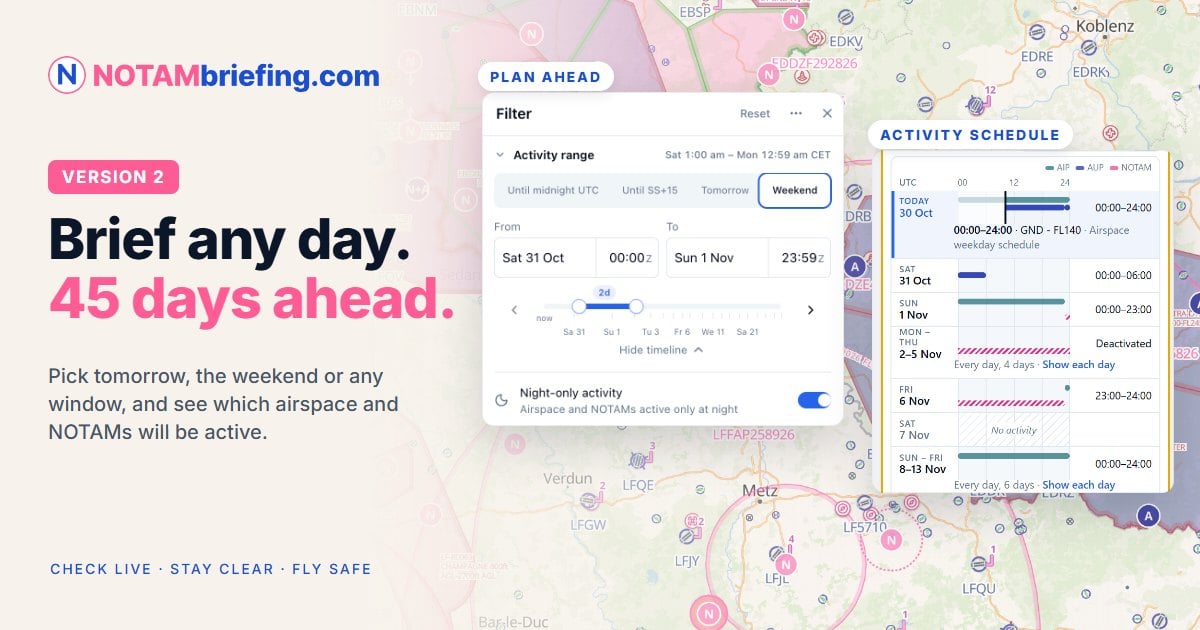
Plan Ahead up to 45 days, activation calendars, NOTAM marks and a new airport drawer
Hello fellow aviator,
Version 2 of NOTAMbriefing.com is live. It's the biggest update since our launch at AERO in April, and much of it comes straight from your feedback.
The headline is Plan Ahead: you can now brief any day up to 45 days ahead, not just today. But there's a lot more to discover, so here's a quick tour.
- Plan Ahead: brief any day, up to 45 days ahead
- Activation calendar: see when an airspace is active, day by day
- NOTAM marks: flag what matters, hide what doesn't
- Briefings that match your flight, on screen and printed
- A new airport drawer, coordinate search, readability settings and more
Plan Ahead: brief any day, up to 45 days ahead
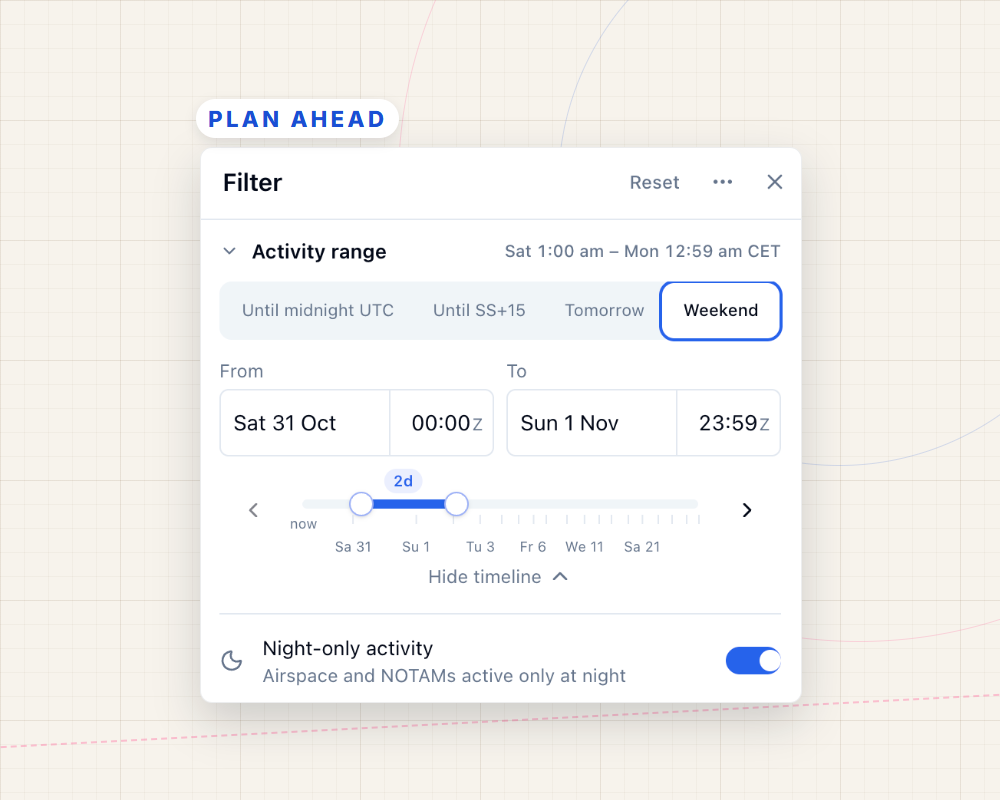
Set the Activity range at the top of the Filter menu: until sunset, tomorrow, the weekend, or your own dates and times. The map, the airspace and airport drawers, and your briefing then show what is active in that window, from AUP/UUP activations to NOTAMs.
Activation calendar: see when an airspace is active
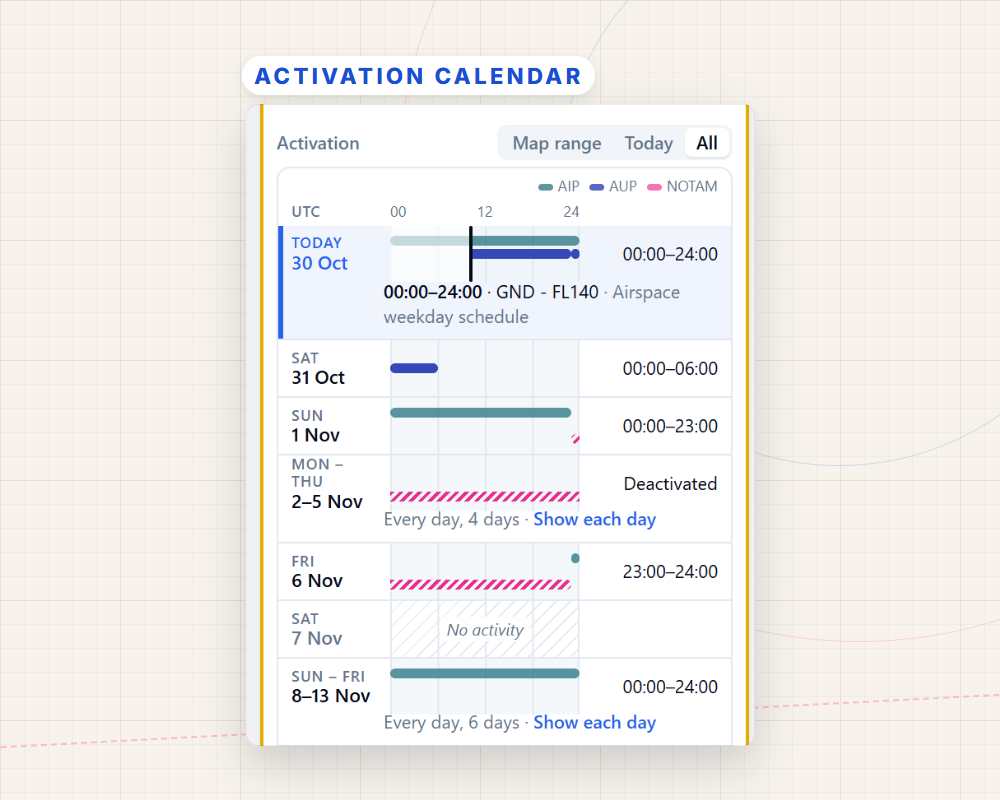
Select an airspace to open its new activation calendar, with one row per source: AIP, AUP and NOTAM. Here a NOTAM deactivates a restricted area for most of next week. A scheduled NOTAM shows its coming week the same way.
NOTAM marks: flag what matters, hide what doesn't
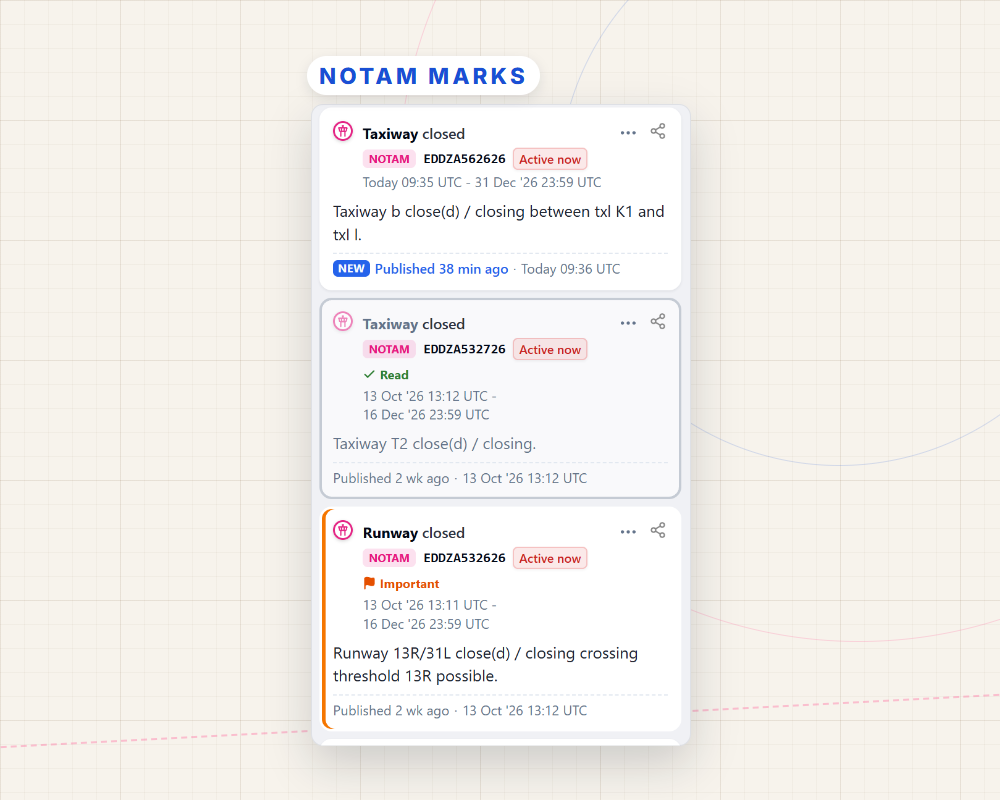
Mark a NOTAM as important or read, or hide it. On a phone or tablet, swipe a card right to mark it read, or left to hide it. NOTAMs are now sorted newest first, show when they were published, and can be grouped by subject, such as Runways, Lighting and Procedures.
Briefings that match your flight
Your briefing, printed too, follows your map filters and lists only the activation windows inside your Activity range. Anything the filters hide is listed in a folded section at the end, so nothing goes missing.
And much more
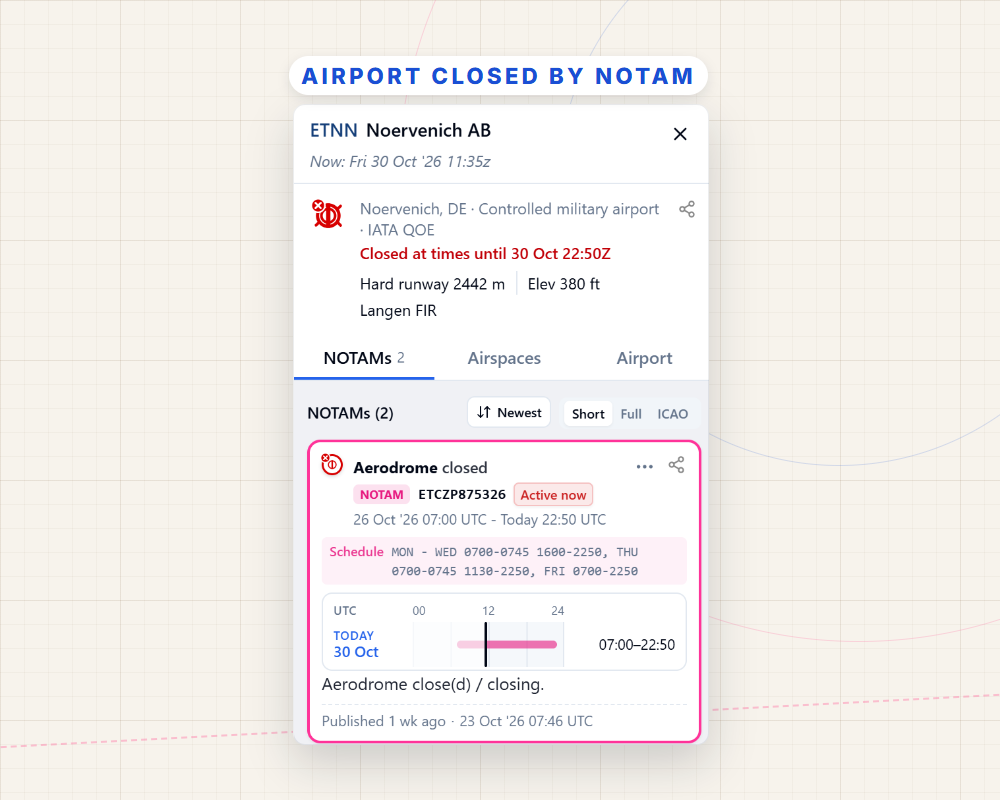
- A new airport drawer with three tabs: its NOTAMs, the airspace at the airport, and airport details
- A red closed-airport icon when an airfield is closed by NOTAM, with the closing NOTAM listed first
- Search a coordinate to see the airspace there, the nearest airports, elevation and sun times
- Readability settings for larger text, bold text and larger map labels
- Keyboard shortcuts: / to search, F for filters, B for the briefing, ? for all keys
- A faster start and lower memory use, especially on phones and slow connections
- Aviation data updates continuously: an open map picks up changes within minutes
The ? buttons in the filters and search open the matching help page, and the release notes have the full list.
Try Live free for 30 days
Essential stays free for every pilot. Plan Ahead, the activation calendar, live airspace status and NOTAM marks are part of Live, and they're best seen with your own flights. Start the free trial, set the Activity range to your next flying day, and see what's active along your route. After 30 days, Live is €47,99 per year.
Already on Live, Pro or FFM? Then all of this is already in your plan.
Start your free 30-day trial Explore NOTAMbriefing.com for free
Your feedback shaped this release, so please keep it coming. We read every message.
Cheers,
Tim Peter
NOTAMbriefing.com




0 Comments