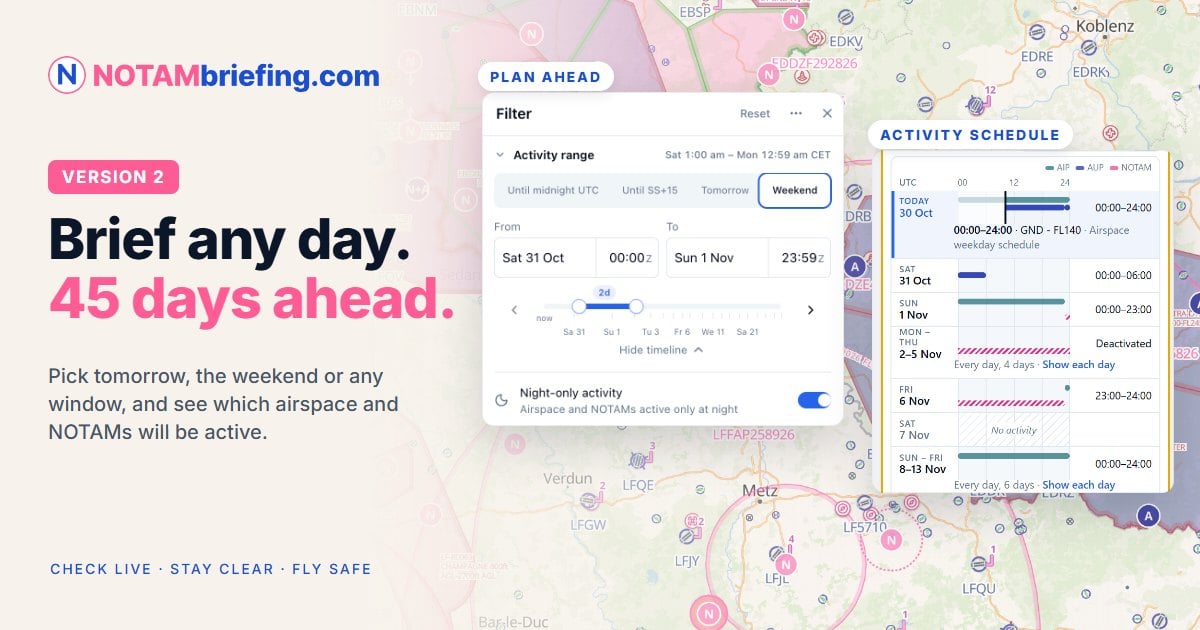
NOTAMbriefing.com version 2: brief any day, up to 45 days ahead

by Tim Peter | Oct 30, 2026 | Development, NOTAMbriefing.com | 0 comments

NOTAMbriefing.com version 2: brief any day, up to 45 days ahead

Plan Ahead up to 45 days, activation calendars, NOTAM marks and a new airport drawer

Hello fellow aviator,

Version 2 of NOTAMbriefing.com is live. It's the biggest update since our launch at AERO in April, and much of it comes straight from your feedback.

The headline is Plan Ahead: you can now brief any day up to 45 days ahead, not just today. But there's a lot more to discover, so here's a quick tour.

  • Plan Ahead: brief any day, up to 45 days ahead
  • Activation calendar: see when an airspace is active, day by day
  • NOTAM marks: flag what matters, hide what doesn't
  • Briefings that match your flight, on screen and printed
  • A new airport drawer, coordinate search, readability settings and more

Plan Ahead: brief any day, up to 45 days ahead

Set the Activity range at the top of the Filter menu: until sunset, tomorrow, the weekend, or your own dates and times. The map, the airspace and airport drawers, and your briefing then show what is active in that window, from AUP/UUP activations to NOTAMs.
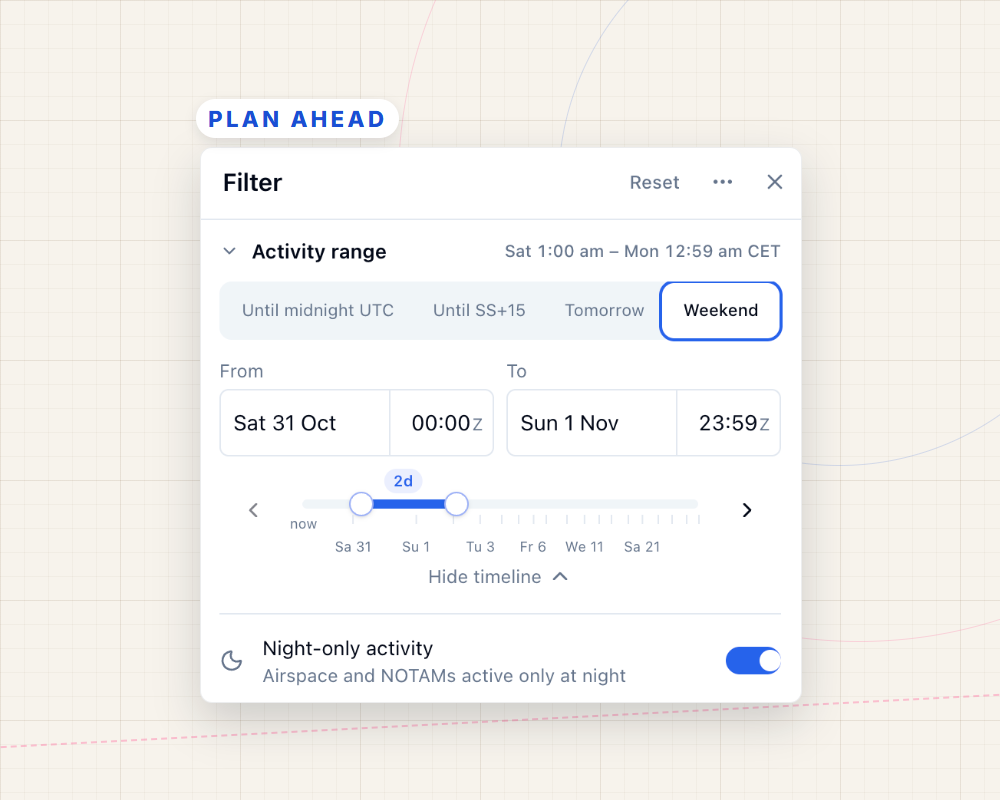
Plan Ahead: the Activity range in the Filter menu, set to the weekend
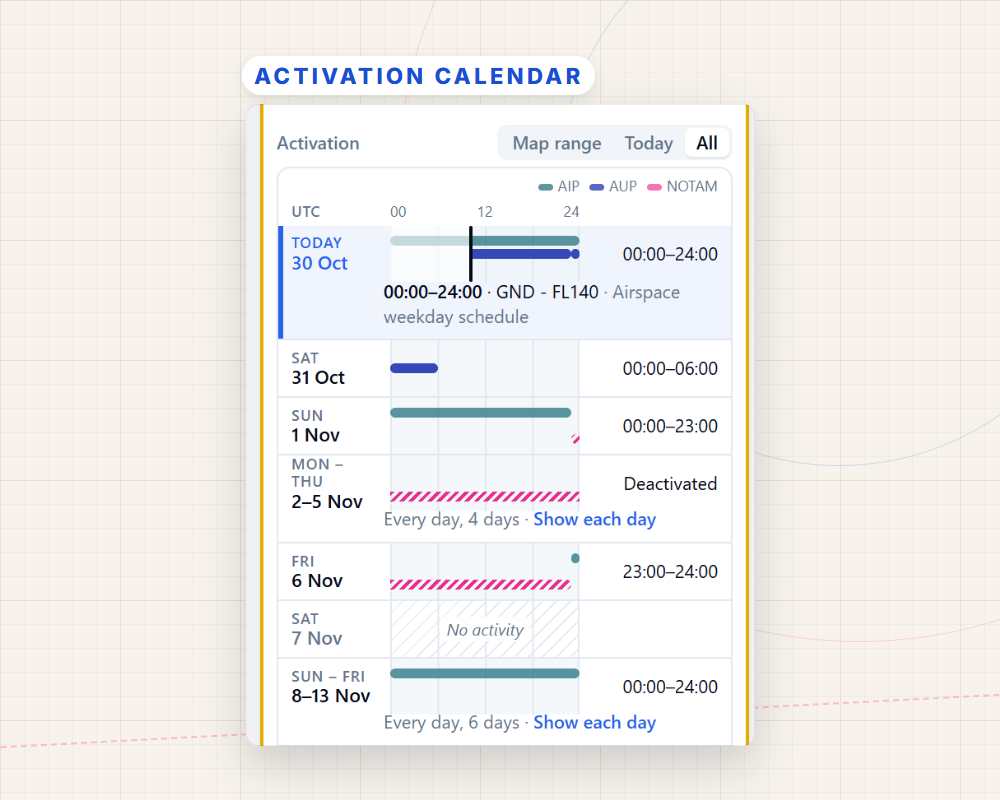
Activation calendar: see when an airspace is active, day by day, with one row per source: AIP, AUP and NOTAM

Activation calendar: see when an airspace is active

Select an airspace to open its new activation calendar, with one row per source: AIP, AUP and NOTAM. Here a NOTAM deactivates a restricted area for most of next week. A scheduled NOTAM shows its coming week the same way.

NOTAM marks: flag what matters, hide what doesn't

Mark a NOTAM as important or read, or hide it. On a phone or tablet, swipe a card right to mark it read, or left to hide it. NOTAMs are now sorted newest first, show when they were published, and can be grouped by subject, such as Runways, Lighting and Procedures.
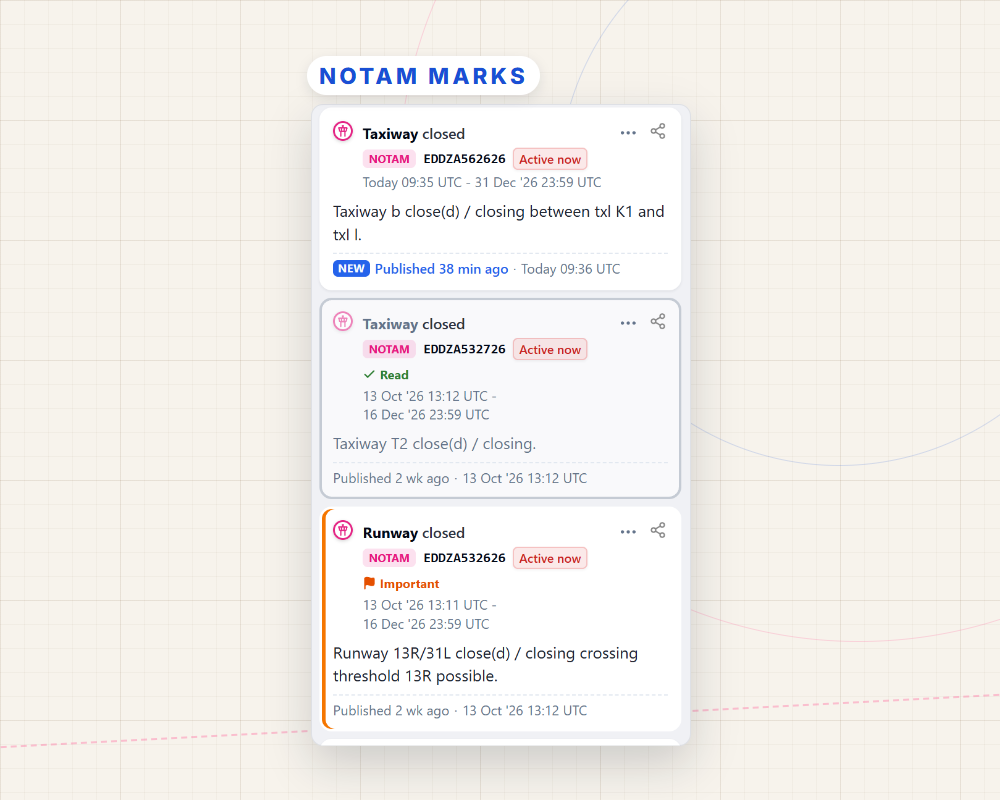
NOTAM marks: flag what matters, hide what doesn't

Briefings that match your flight

Your briefing, printed too, follows your map filters and lists only the activation windows inside your Activity range. Anything the filters hide is listed in a folded section at the end, so nothing goes missing.
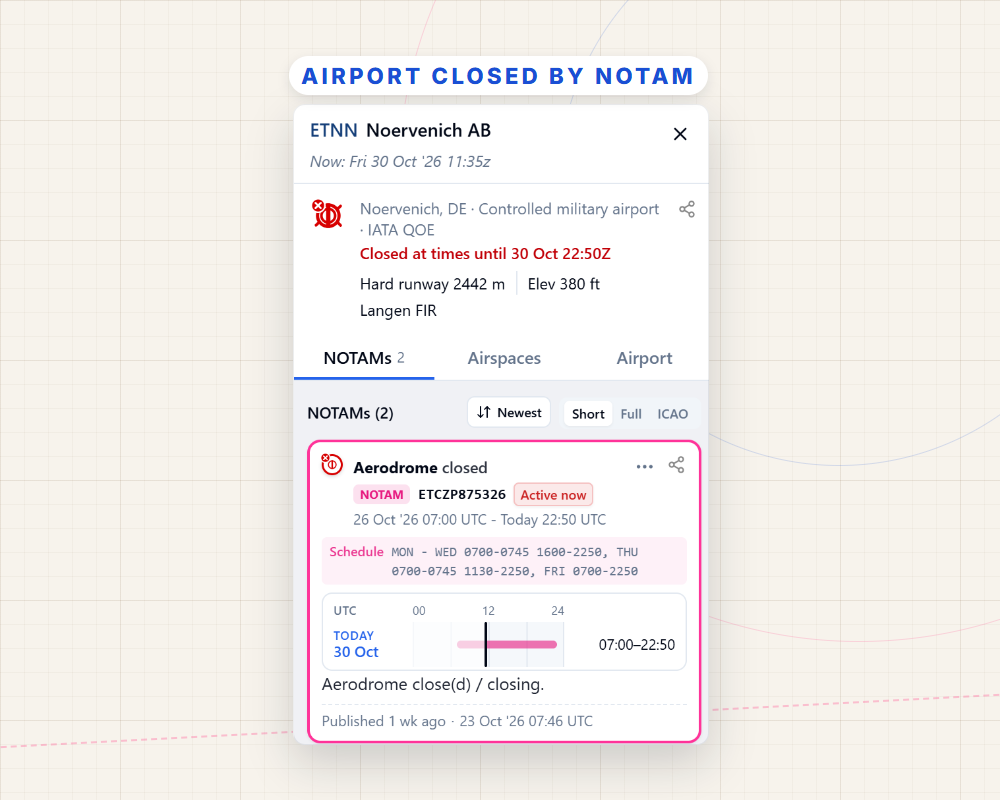
The airport drawer showing Noervenich closed by NOTAM, with the closing NOTAM first

And much more

  • A new airport drawer with three tabs: its NOTAMs, the airspace at the airport, and airport details
  • A red closed-airport icon when an airfield is closed by NOTAM, with the closing NOTAM listed first
  • Search a coordinate to see the airspace there, the nearest airports, elevation and sun times
  • Readability settings for larger text, bold text and larger map labels
  • Keyboard shortcuts: / to search, F for filters, B for the briefing, ? for all keys
  • A faster start and lower memory use, especially on phones and slow connections
  • Aviation data updates continuously: an open map picks up changes within minutes

The ? buttons in the filters and search open the matching help page, and the release notes have the full list.

Try Live free for 30 days

Essential stays free for every pilot. Plan Ahead, the activation calendar, live airspace status and NOTAM marks are part of Live, and they're best seen with your own flights. Start the free trial, set the Activity range to your next flying day, and see what's active along your route. After 30 days, Live is €47,99 per year.

Already on Live, Pro or FFM? Then all of this is already in your plan.

Start your free 30-day trial Explore NOTAMbriefing.com for free

Your feedback shaped this release, so please keep it coming. We read every message.

Cheers,
Tim Peter
NOTAMbriefing.com
Other news

NOTAMbriefing.com version 2: brief any day, up to 45 days ahead

Version 2 of NOTAMbriefing.com: Plan Ahead up to 45 days, activation calendars, NOTAM marks, a new airport drawer and much more. Try Live free for 30 days.

EasyVFR 4.8.9: Plan it, note it, tune it

A built-in Note Pad, calendar-based planning, searchable flight plans and Becker radio tuning Hello fellow aviator! 👋 Hello fellow aviator! 👋 A good flight starts long before takeoff, and much of that preparation still happens on paper. EasyVFR 4.8.9 moves more of it...

EasyVFR 4.6.7 — Don’t fly yesterday’s data 

AIP Supplements Download: Faster, smarter, and always current between AIRAC cycles Hello fellow aviator! 👋 European airspace changes daily—and not just on AIRAC day. EasyVFR 4.6.7 makes it easier to stay current between cycles with faster AIP Supplement airspace...

Faster, AutoPilot and Plan(e)Station: EasyVFR 4.6

Plan(e) Station mode for built in EaysVFR devices: Auto Start on Master Switch ON and more Hello Fellow Aviator! Hello fellow aviator! 👋 While many of you have been enjoying some well‑deserved flying and family time, we’ve been busy in the hangar. Version 4.6 focuses...

EasyVFR 4.5 is Here! – New Basemaps: Satellite, OpenStreetMap & More

Smarter Search, Stunning New Maps, and much more Hello Fellow Aviator! Hello Fellow Aviator! 👋 Just ahead of AERO Friedrichshafen, we rolled out EasyVFR 4.5—a feature-packed update designed to make your planning and flying experience even easier, safer, and more...

EasyVFR 4.4 – Vertical Profile and Direct-To Improvements

Hello Fellow Aviator! Over the past few months, we’ve rolled out several updates for EasyVFR 4.4. Today, we’re excited to share the final release in this series: EasyVFR 4.4.6. This update wraps up all of the 24 improvements and 26 bug fixes we’ve made to enhance your...

The New EasyVFR 4.3 – Context-Aware Map Interactions and Intuitive Route Building

Hey Fellow Aviator! Exciting times are here for our EasyVFR community! With our user base growing rapidly, your enthusiasm and support have been invaluable. Thank you! While planning and flying with EasyVFR, you’ve shared fantastic ideas. We’ve heard your feedback and...

EasyVFR 4.2 Update: Radio Card, Quick Route Actions, Course Up & Auto Zoom, AeroData Summary Bar & Context Menus

We're thrilled to announce the latest update to EasyVFR 4! 🚀 This update is packed with features, boasting 18 brand-new tools, 11 enhancements, and 22 fixes. Here's a quick rundown of what's new and improved: Radio and Position Card Exciting News for Immediate Radio...

EasyVFR 4.1.422 Update: A New Dimension to Aerial Discovery!

Team EasyVFR is elated to launch the newest update to EasyVFR 4! Here's a quick rundown of what's new and improved. Android Updates Better Stability: No more crashes! We've worked hard to make the app more stable on Android. Big thanks to our beta testers! Full-Screen...

Test Our New Canadian VNC-Style chart for Dynon 🗺️

Dear Canadian Dynon Pilots, We're super excited to share a sneak peek of our latest initiative here at the PocketFMS Foundation - a prototype VNC-style charting solution tailored specifically for Dynon SkyView users! This innovative chart integrates our existing...

0 Comments

Submit a Comment

Your email address will not be published. Required fields are marked *