
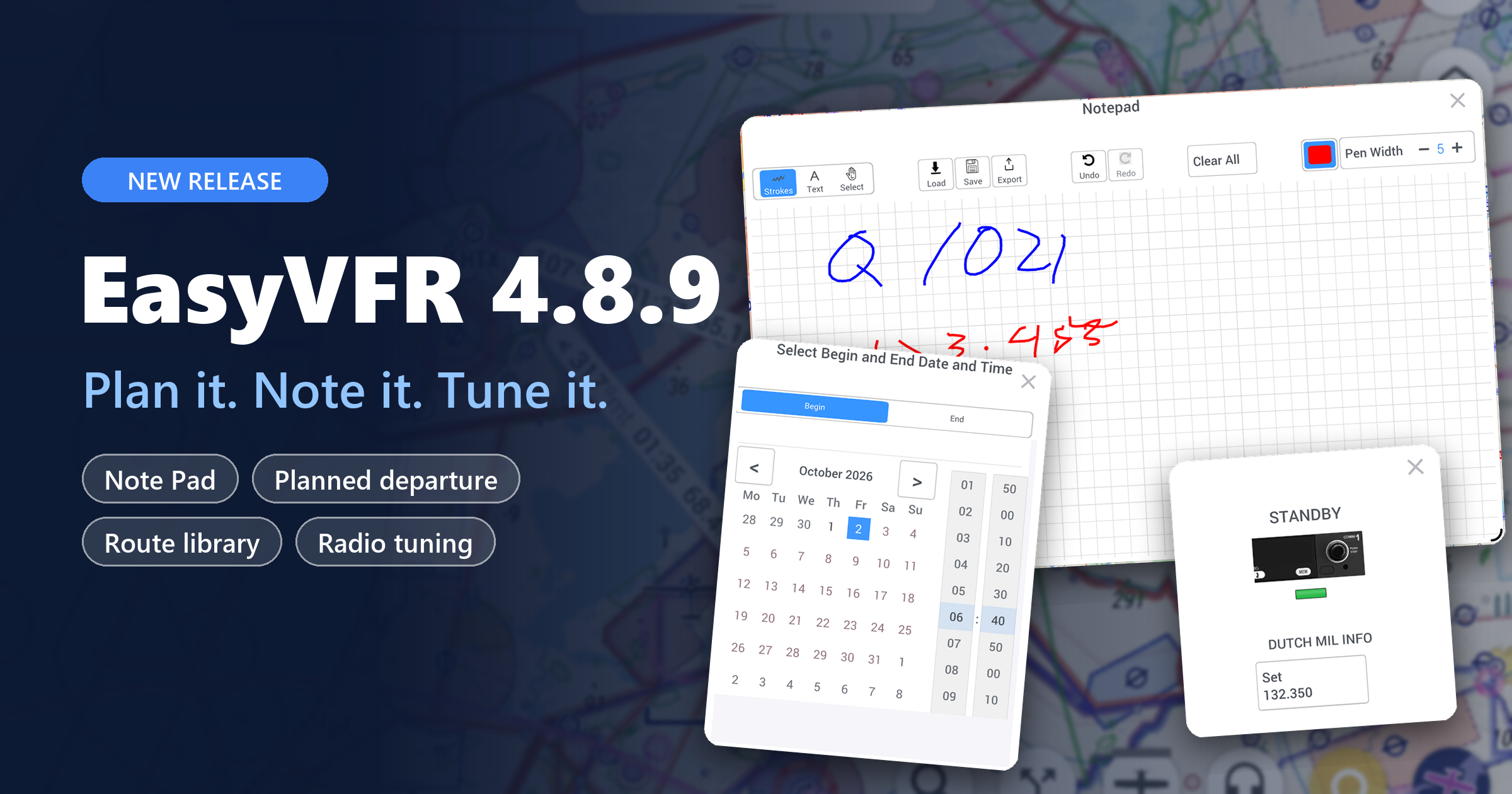
A built-in Note Pad, calendar-based planning, searchable flight plans and Becker radio tuning
Hello fellow aviator! 👋
Hello fellow aviator! 👋
A good flight starts long before takeoff, and much of that preparation still happens on paper. EasyVFR 4.8.9 moves more of it into the app. You can take notes, plan for the exact time you'll fly, keep your flight plans organized, and tune your radio from your EFB.
Highlights at a glance
- Note Pad: write, draw, sync and export notes, and include them in your TripKit
- Calendar: set your planned takeoff time, and the map shows NOTAMs and airspaces for that time
- Flight plan library: save with keywords, then filter and sort when you load
- Becker AR620X: remote radio tuning, over Bluetooth or Wi-Fi
- Faster NOTAMs, sharper terrain and dozens of fixes
Thank you to everyone who tested the betas this summer. Many of the details below came straight from your feedback. 🙏
On this page:
✏️ Note Pad: your kneeboard, built in
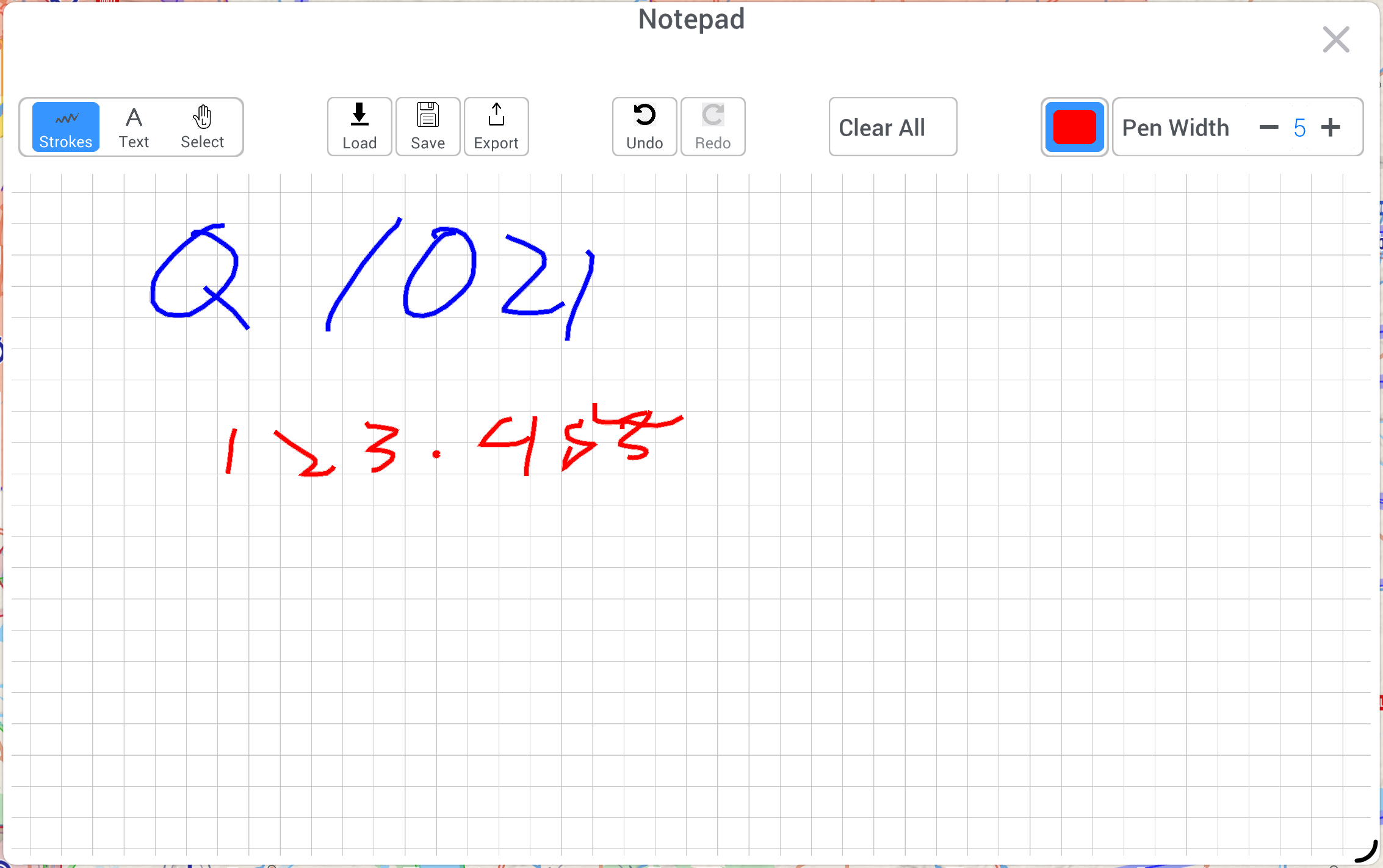
Pilots write things down: ATIS, clearances, squawk codes, fuel checks, a frequency that came in too fast. With Note Pad you no longer need a separate app or a paper kneeboard.
Select the ✏️ button at the top left of the map to open it.
Write and draw
- Draw freehand with your finger or a stylus
- Place typed text anywhere on the page
- Choose from black, red and blue, and 10 pen widths
- Strokes drawn close together are grouped automatically, so you can select and move them as one
Edit without starting over
- Select any stroke or text to move or resize it
- Delete single items or clear the whole page
- Undo and redo up to 20 steps
- Pinch to zoom from 50% to 400%, and drag with two fingers to move around the page
Save, find and share
- Save notes with a name and keywords, then search, sort and mark favorites
- Accidentally deleted a note? Select UNDO within 5 seconds.
- Your current note is saved automatically when you close the app
- Export to a high-quality PDF and share by email, AirDrop or any other sharing option
- Add your Note Pad as a page in the TripKit PDF for a complete briefing package
Synced everywhere Saved notes sync across all your devices. If you're offline, changes are queued and sync automatically when you're back online.
👉 Learn more: Note Pad
📅 Plan for the time you'll actually fly
NOTAMs and airspace activations depend on time. A restricted area that is quiet now may be active when you depart tomorrow at 10:00.
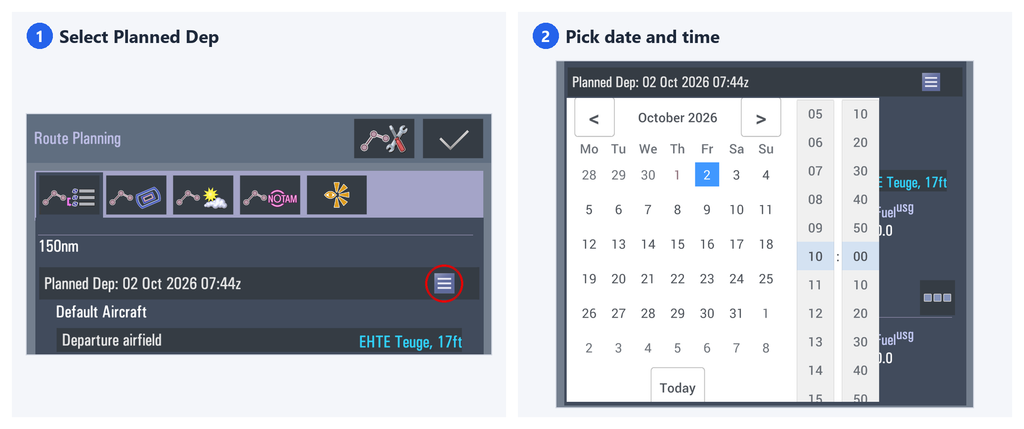
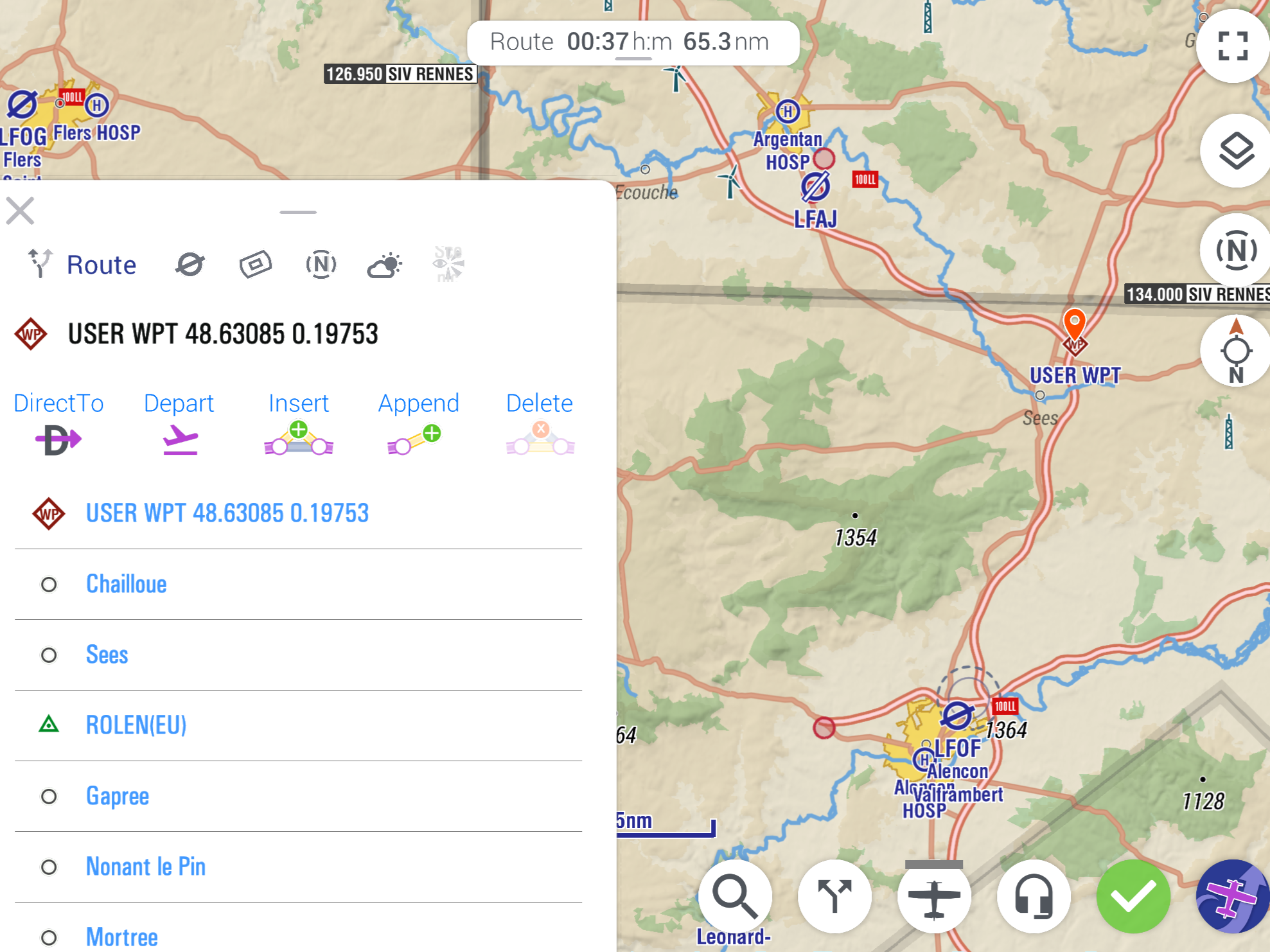
Set your planned departure in the Route Planning menu: select Planned Dep, then pick the date and time in the new calendar. EasyVFR 4 calculates your arrival time from your route, aircraft profile and the weather. The map then shows the NOTAMs and active airspaces for your flight, not for the current moment.
No route planned? Set the begin and end of the map timeframe yourself with Map Layers → Map Timeframe.
🗂️ Find any flight plan in seconds
We rebuilt flight plan saving and loading from the ground up.
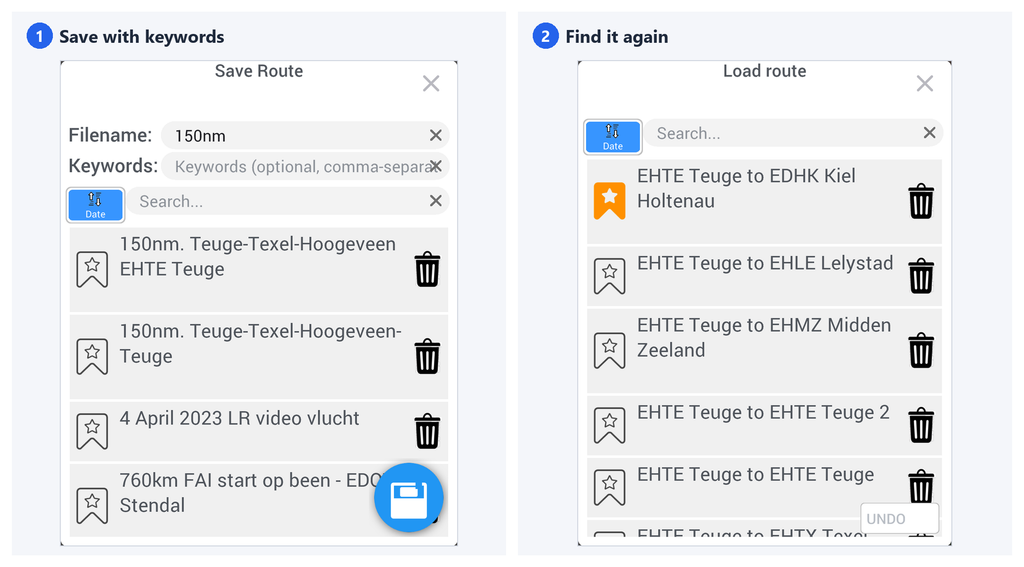
- When saving: add keywords such as club trip, Wadden, checkride or IFR alternate
- When loading: search by name or keyword, and sort by last used, favorite or file name
- Favorites: bookmark the routes you fly most
If you've collected years of routes, the one you need is now a few selections away.
📻 Remote radio tuning for Becker AR620X
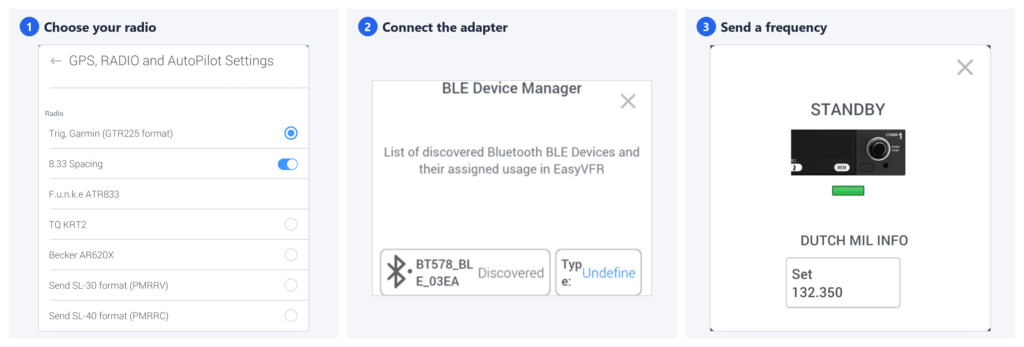
n 4.6.7 we told you frequency sending was in alpha testing. It now ships for the Becker AR620X series, alongside Trig, Garmin, F.u.n.k.e and TQ radios. Select a frequency in EasyVFR 4 and send it to your radio, without reading digits off one screen and dialing them into another.
Connect your radio over Bluetooth LE or Wi-Fi, using a small adapter on its serial port.
👉 Learn more: Re
Have a different radio you'd like supported? Tell us the make and model.
More enhancements & fixes
Map and NOTAMs
- Faster NOTAM processing after a download
- Select inside the outline of a NOTAM on the map to open its details on the Info Sheet
- Terrain now uses the high-detail layer reliably when you zoom in
- Smoother map rendering at high speed and high zoom
- NOTAM text on the map no longer shortens "AMSL" to "AM"
- Airspaces no longer appear twice on the Info Sheet → Airspaces tab
- Route Card → NOTAM tab: sorting by "Newest first" now puts the newest NOTAM at the top
Autopilot and alerts
- Autopilot turn anticipation adds extra time before turning to the next waypoint. You can now set this time in EasyVFR 4 menu → System → GPS, RADIO and AutoPilot Settings → Turn anticipation extra time.
- Hide the upcoming leg change banner with EasyVFR 4 menu → Preferences → Alarms and Warnings → Leg Change Coming Up Popup
Data and connectivity
- Data now downloads in the order shown on the Status Card
- Dynon and MGL data exchange now show download progress for the EFB catalogue
Input and usability
- Text fields scroll automatically while you type, and you can select a position to move the cursor
- New for Android and Windows: EasyVFR 4 menu → System → Direct Keyboard Input lets you type without a pop-up window
- Time fields on the Route Card have more spacing, so they're easier to read
- Numeric entry, such as a leg's planned altitude, works correctly on iPadOS 26
- Fixed: zooming out with the mouse wheel stopped working after you had zoomed in fully
- Fixed: releasing after a rubber band change (with Rubber Band by Tap & Hold enabled) sometimes did not show Confirm or Cancel
- Fixed: a tap and hold on the vertical profile track line sometimes did not change the planned altitude
- Fixed: in landscape with the route window docked left, you could not always close the Instruments ribbon edit screen
- Fixed: a crash on startup when the previous session ended with an unconfirmed local-flight route
See the release notes for all the details.
Behind the Scenes - What's next?
While 4.8.9 is out, the team is already deep into the next steps. Here's what we're working on.
⚡ EasyVFR 4: faster, and ready for more platforms We're working on big performance and compatibility improvements, including 64-bit Windows and Apple silicon Macs. Two new features are on the way too:
- A Nearest option
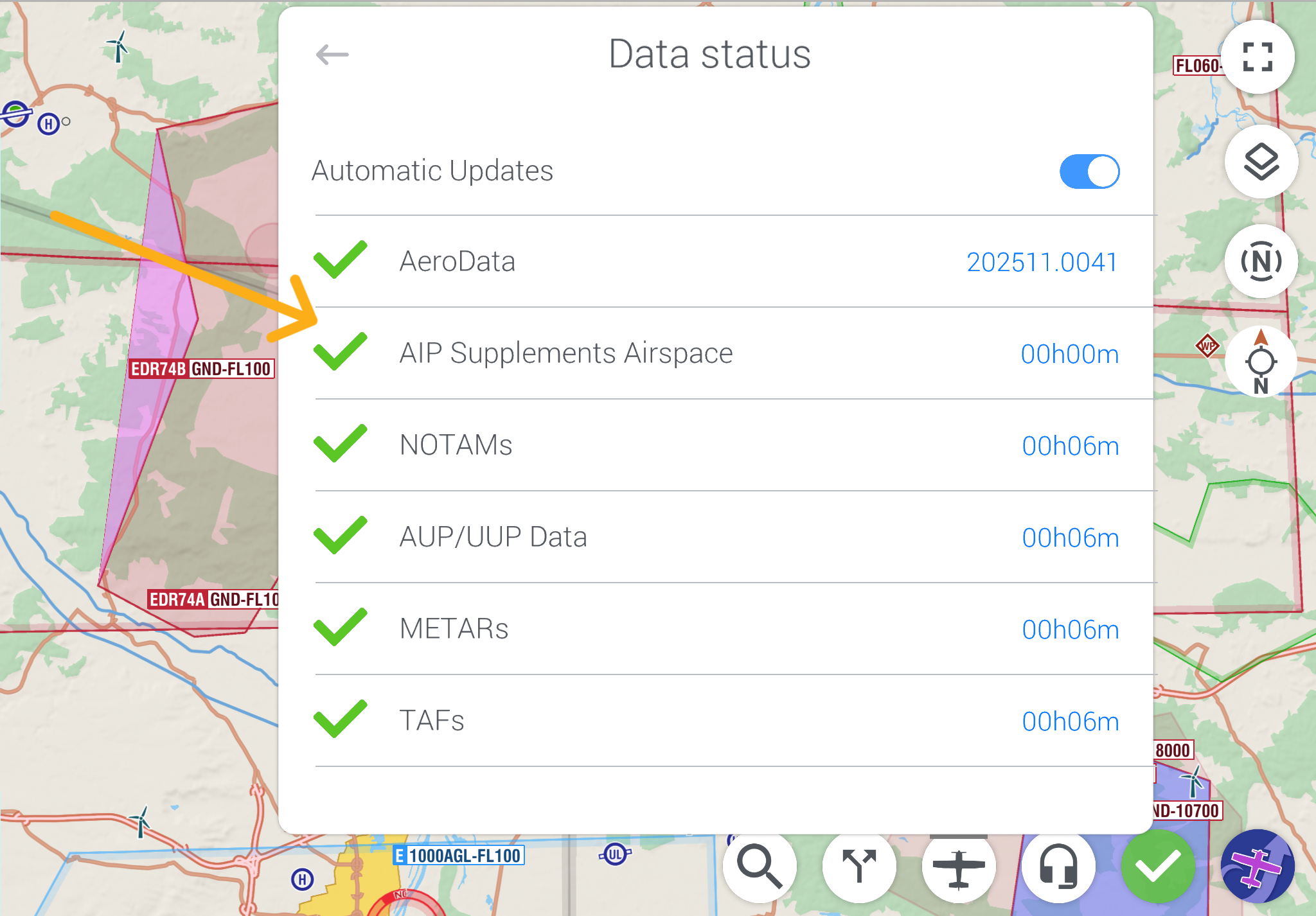
- Links to AIP SUP documents, so you can read the original publication behind a temporary restriction
Some of this is already in the latest beta. Want to try it first? Join at ea
💾 Dynon Data Manager Flying with a Dynon? The new Dynon Data Manager is a much faster and better tool to prepare your Dynon USB stick, for one aircraft or several. More on this soon.
📋 NOTAMbriefing.com: a big upgrade NOTAMbriefing.com is getting a major upgrade very soon:
- Multi-day schedules for NOTAMs and airspace activations
- Plan-ahead options, so you can brief for the days you'll fly
- Many smaller improvements that you asked for
What would make your pre-flight briefing easier? Tell us at [email protected]. Your ideas shape what we build next.
Questions or ideas? Write to [email protected]. We read every message.
Fly safe, fly prepared, The EasyVFR Team
How to Update?
Update EasyVFR 4 from your device's app store or download it from our download page.
- iOS → Head to the iOS AppStore.
- Android → Find us on Google Play store.
- macOS (Apple Silicon) → Look under iOS apps in the AppStore.
- Windows, macOS (Intel/Catalina) → Visit our knowledge base for the latest downloads.
New to EasyVFR?
Start your journey with EasyVFR 4 today!
📱 Download the app using the links above ☝️
🧾 Create your free account directly in the app
Try it out and let us know what you think. We’ve got even more exciting features on the way—so stay tuned!



0 Comments