
Dear Canadian Dynon Pilots,
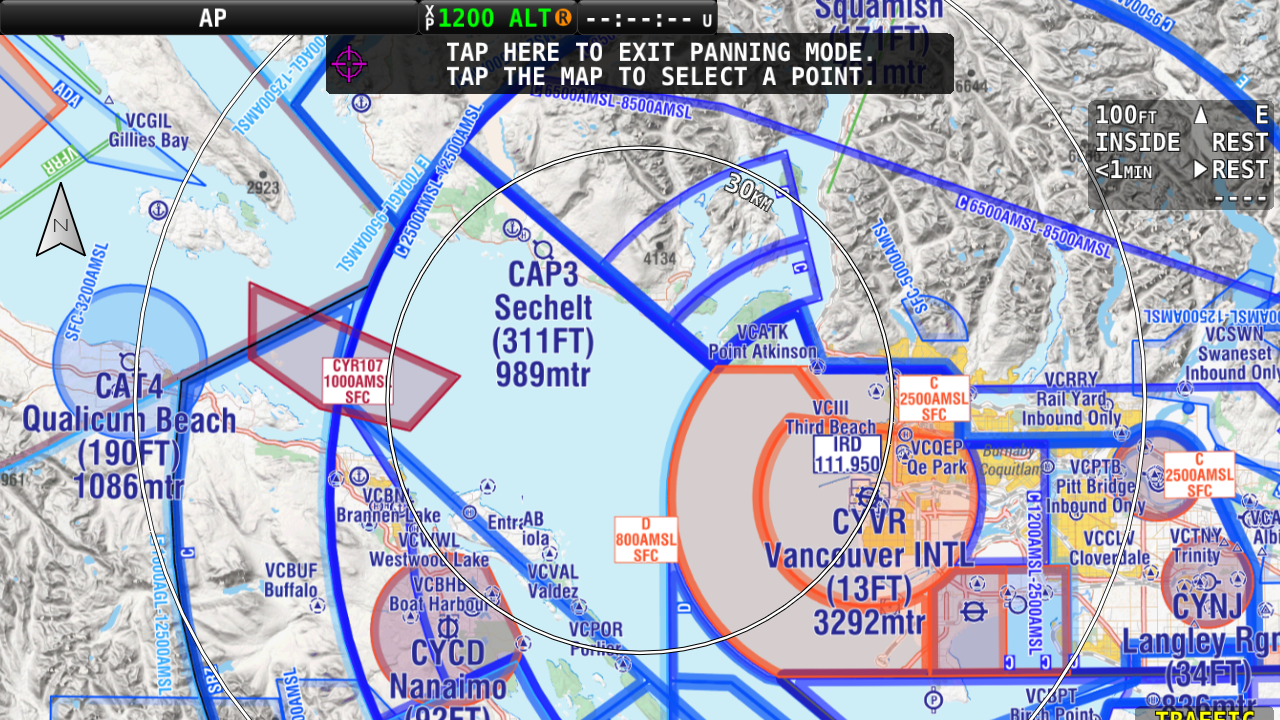
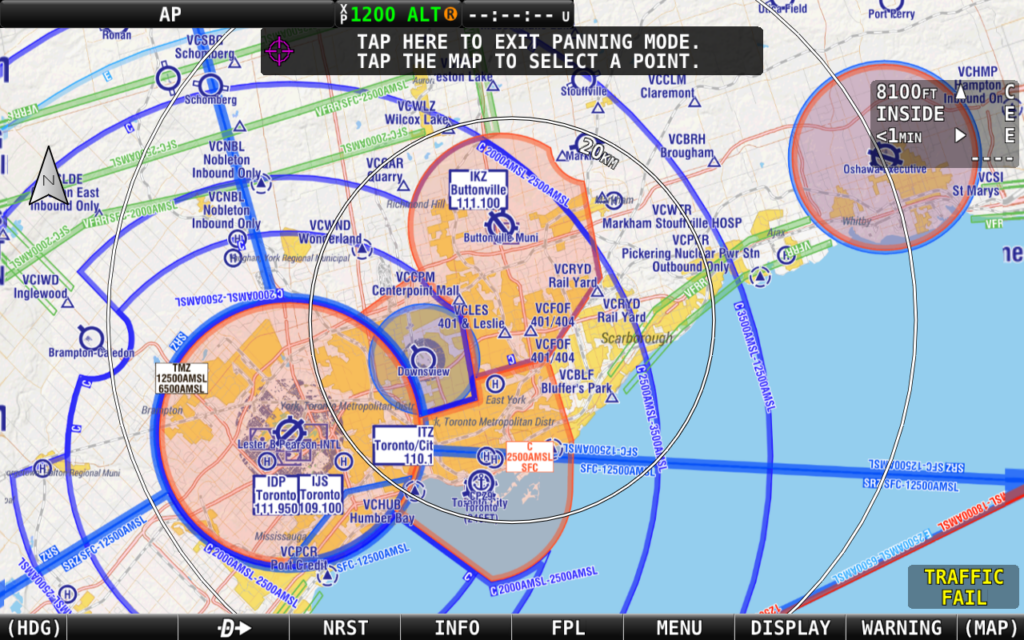
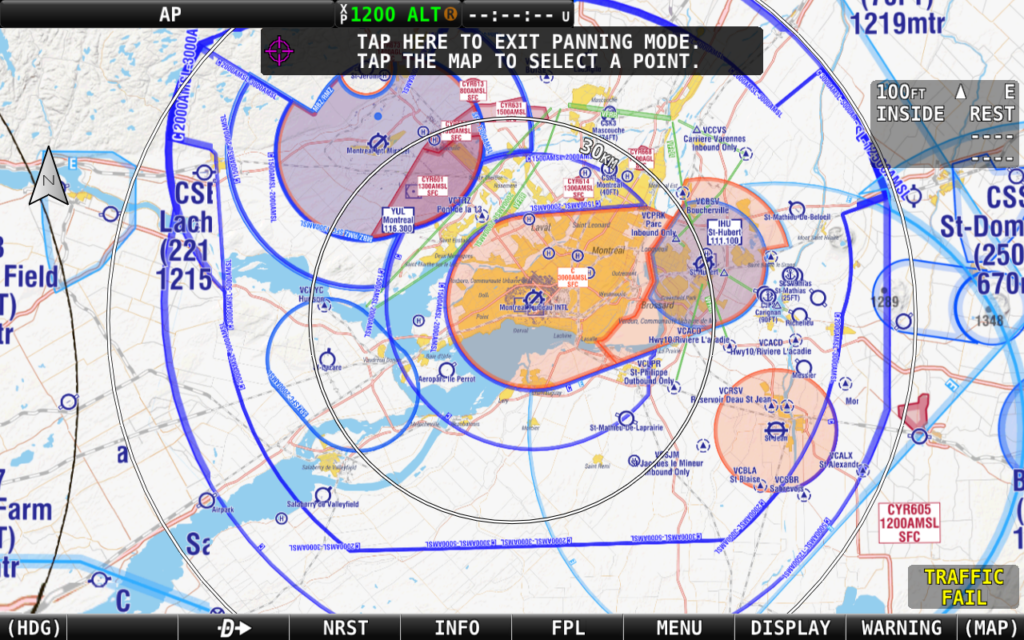
We're super excited to share a sneak peek of our latest initiative here at the PocketFMS Foundation - a prototype VNC-style charting solution tailored specifically for Dynon SkyView users! This innovative chart integrates our existing Canadian Aeronautical and Obstacle data with the OpenStreetMap and NASA terrain data, to provide comprehensive and precise VFR flight information.
Our Commitment to Excellence 🎯
Your insights and feedback have always been the driving force behind our continuous improvements. Now, we're embarking on a new journey to offer more comprehensive charting solutions, and once again, we need your help to make this product the best it can be!
Free to Use During the Development Phase 🤖
This is where it gets even better! During the development phase, our first iteration, featuring the loved EasyVFR map design with data from the April 2023 AIRAC cycle, is completely free to download and use. During the development phase, occasionally we'll send you chart updates at no cost and no strings attached, keeping you ahead of the game at all times.
Join Us and Make a Difference 🤝
Your valuable insights will help us refine this tool and shape its future. Participating is as easy as pie! Just fill out the form below to subscribe to our free mailing list. You'll receive the latest chart at no cost. What's more? The installation is a breeze - simply download the files from the email you receive upon subscribing and copy them to your Dynon USB stick for usage on your SkyView system.
Your Contribution Matters ❤️
We can't wait to hear your thoughts at [email protected]. Your contribution will significantly shape the future of this product.
Thank you for your consideration, and we eagerly look forward to your insights.
Happy Flying!




Is this just for touch screen Dynon?
Hi Peter,
Thank you for your question. Our newly introduced Canada raster chart is indeed compatible with all Dynon SkyViews, including non-touchscreen versions. While they function well with the Classic series, you’ll find the best readability on an HDX.
If you have a SkyView, I’d recommend subscribing to the Canada chart mailing list using the form provided above. This way, you can receive the chart directly in your inbox to try out.
Best regards,
Tim
I filled in the form for the Dynon canadian chart upgrade but there was no indication if the submit button worked?
Hi Dennis,
Thank you for reaching out. It seems like you might have encountered a temporary glitch, given the numerous successful subscriptions on our list. Not to worry, I’ve successfully submitted your details to teh form and you should have received a welcome email containing the file downloads by now.
If there’s anything else you need assistance with, please don’t hesitate to let me know. You can reach out here or privately via the blue “Ask the team” button on the bottom right of this website.
Cheers,
Tim
Hi there
I down loaded the new CDN charts onto my laptop and then from there to a memory stick. However when I plugged the memory stick into my SkyView Touch , the file goes not show up or isn’t recognized. This happened yesterday so I went home, deleted everything from the stick and re uploaded the charts file to the stick. Tried it again this morning and no joy. The file does not show up on my Dynon screen. Any suggestions?
Hi David,
Thx for helping us with this new chart! Have you copied both the 005J224.dcf and the keyfile 005J224.key to the root of your memory stick? Also you need to activate the chart on your SkyView like described here https://support.easyvfr4.aero/help/dynon-skyview-charts